ENGINEERING PROGRAMME / LAUNCHING SOON / UNDERSTAND. APPLY. VERIFY.

ENGINEERING PROGRAMME / LAUNCHING SOON / GRADES 10–12

Young Engineers

Build. Program. Connect. Design. Present.

Launching soon. Suggested duration: 90 hours.

Launching soon: a 90-hour programme for Grades 10–12 connecting engineering fundamentals, electronics, Arduino and ESP32, sensors, Python and IoT, robotics, 3D modelling and an engineering capstone. Join the waitlist for launch updates.

Join the launch waitlist. We'll discuss readiness and share batch details when dates are confirmed.

A conceptual mobile robot combines sensor pulses, a controller and moving wheels with a test-path diagram for the upcoming Young Engineers programme. This is a conceptual animation, not a functional simulation or wiring guide. THE INTEGRATED ROBOTICS WORKSHOP CONTROL LAUNCHING SOON / SYSTEM INTEGRATION SENSEPROGRAMTEST THE SYSTEM

PLAN AHEAD

Clear fees.
Flexible batches.

Course fee / 90 hours₹13,500 + 18% tax

Total including tax₹15,930

Young Engineers is launching soon. Join the waitlist; this fee is guidance, not confirmation of an active batch.

Batch options

Regular, weekend and Sunday batches available. Monday–Saturday: preferred slots 9am–6pm; Sunday: 10am–1pm (IST). Slots, dates and places require availability confirmation.

Fees exclude 18% tax; totals include tax. Confirm material, licence and take-home kit charges before enrolment. Enquiry is not a reservation.

Starting point
Grades 10–12
Suggested duration
90 hours
Curriculum
8 topics / 39 modules
Availability
Launching soon / join the waitlist

YOUNG ENGINEERS / LAUNCHING SOON

From first principles.
To a documented prototype.

8

Connected learning topics

Explore the supplied engineering programme / launching soon learning sequence.

90

Suggested learning hours

Session frequency and calendar duration are confirmed by enquiry.

6

Suggested capstone options

Select a bounded project within the final 10-hour capstone topic.

01 / PROGRAMME OVERVIEW

Explore engineering.
Build towards an integrated project.

Launching soon: a 90-hour programme for Grades 10–12 connecting engineering fundamentals, electronics, Arduino and ESP32, sensors, Python and IoT, robotics, 3D modelling and an engineering capstone. Join the waitlist for launch updates.

Starting point

Grades 10–12. Basic computer use and an interest in science and engineering are helpful; prior microcontroller experience is not assumed. A mentor confirms readiness and preparation.

Discuss preparation and readiness with a mentor before choosing a batch. These are recommended starting points, not a guarantee of placement.

Evidence of learning

Investigate engineering structures, build digital circuits, program Arduino and ESP32, integrate sensors, use Python and IoT data, develop robotic mechanisms and CAD models, and document and present a tested engineering capstone.

Project scope depends on supervision, equipment and practice. Examples describe learning activities, not verified student work or guaranteed outcomes.

02 / WHAT YOU WILL WORK ON

Build understanding.
Make your choices explainable.

Explore engineering and electronics

Investigate forces, structures, materials and measurements, then build protected low-voltage circuits and test digital logic.

Program connected systems

Use Arduino, ESP32, sensors and Python to explore control logic, wireless communication and IoT data visualization.

Design, automate and present

Combine robotic mechanisms, CAD models and prototype testing with a documented capstone and technical presentation.

03 / CURRICULUM & PRACTICE

Eight connected topics.
90 hours, from fundamentals to presentation.

The eight topics total 90 hours. Mini projects are integrated into their topic allocations, and the final 10 hours cover capstone planning, development, testing, documentation and evaluation. This remains a proposed programme; practical arrangements are confirmed with a mentor.

TOPIC 01Engineering Fundamentals10 HOURS

Explore & Discover

Learning objective: Understand the basic principles of engineering, mechanical systems, forces, motion, structures, and engineering design.

Module 1: Introduction to Engineering (2 Hours)

  • What is engineering?
  • Different branches of engineering.
  • Engineering in everyday life.
  • Role of engineers in technology development.
  • Introduction to STEM education.
  • Engineering design process: Ask, Imagine, Plan, Create, Test and Improve.

Module 2: Basic Mechanical Principles (2 Hours)

  • Force, motion and friction.
  • Gravity and inertia.
  • Work, energy and power.
  • Simple machines and their applications.
  • Levers, pulleys, gears and inclined planes.
  • Mechanical advantage.

Module 3: Structures and Material Science (2 Hours)

  • Types of engineering structures.
  • Stability, balance and load distribution.
  • Strength and flexibility of materials.
  • Introduction to metals, plastics and wood.
  • Structural design principles.
  • Bridges, towers and support structures.

Module 4: Engineering Measurements (2 Hours)

  • Length, width, height and distance.
  • Units of measurement.
  • Introduction to rulers, measuring tapes and vernier calipers.
  • Basic geometry for engineering.
  • Angles, shapes and dimensions.
  • Accuracy and measurement errors.

Module 5: Practical Engineering Challenges (2 Hours)

  • Build a paper bridge.
  • Design a free-standing tower.
  • Construct a simple gear mechanism.
  • Test load-bearing capacity.
  • Compare materials and structures.
  • Engineering challenge and evaluation.

Mini Project: Build a Strong Bridge

Design and test a bridge capable of supporting a specified load.

Learning Outcomes

  • Understand basic engineering concepts.
  • Identify mechanical components.
  • Apply scientific principles to practical problems.
  • Develop logical thinking and design skills.
TOPIC 02Digital Electronics10 HOURS

Build & Experiment

Learning objective: Introduce students to electronic components, electrical circuits, digital signals and logic gates.

Module 1: Fundamentals of Electricity (2 Hours)

  • Introduction to electricity.
  • Voltage, current and resistance.
  • AC and DC electricity.
  • Conductors and insulators.
  • Basic electrical safety.
  • Introduction to Ohm's Law.

Module 2: Electronic Components (2 Hours)

  • Resistors and capacitors.
  • LEDs and diodes.
  • Transistors.
  • Switches and push buttons.
  • Potentiometers.
  • Batteries and power supplies.
  • Breadboards and jumper wires.

Module 3: Circuit Building (2 Hours)

  • Understanding circuit diagrams.
  • Series and parallel circuits.
  • Open and closed circuits.
  • LED control circuits.
  • Button-controlled circuits.
  • Testing circuits with a multimeter.

Module 4: Digital Electronics and Logic Gates (2 Hours)

  • Analog and digital signals.
  • Binary number system.
  • Introduction to logic gates.
  • AND, OR and NOT gates.
  • NAND, NOR, XOR and XNOR.
  • Truth tables.
  • Introduction to Boolean logic.

Module 5: Practical Electronics Experiments (2 Hours)

  • Build an LED blinking circuit.
  • Create a push-button-controlled LED.
  • Design a traffic signal circuit.
  • Experiment with logic gates.
  • Test voltage and continuity.
  • Troubleshooting basic electronic circuits.

Mini Project: Smart Traffic Signal

Create a working traffic light system using LEDs and switches.

Learning Outcomes

  • Identify electronic components.
  • Understand electrical and digital circuits.
  • Build basic electronic systems.
  • Understand binary logic and digital signals.
TOPIC 03Arduino and ESP32 Programming15 HOURS

Code & Control

Learning objective: Develop programming and hardware control skills using Arduino and ESP32 microcontroller platforms.

Module 1: Introduction to Microcontrollers (2 Hours)

  • What is a microcontroller?
  • Microcontroller versus microprocessor.
  • Introduction to Arduino.
  • Introduction to ESP32.
  • Understanding development boards.
  • Digital pins and analog pins.
  • USB connections and power supply.

Module 2: Arduino IDE and Programming Fundamentals (3 Hours)

  • Installing and configuring Arduino IDE.
  • Understanding the programming interface.
  • Structure of an Arduino program.
  • Setup() and loop().
  • Variables and data types.
  • Operators and expressions.
  • Conditional statements.
  • Loops and functions.
  • Uploading and debugging programs.

Module 3: Arduino Hardware Programming (3 Hours)

  • Digital input and output.
  • Analog input and output.
  • LED blinking programs.
  • Push-button control.
  • Potentiometer-based control.
  • PWM and LED brightness control.
  • Buzzer and sound generation.
  • Servo motor control.

Module 4: ESP32 Programming (3 Hours)

  • ESP32 architecture and features.
  • Installing ESP32 board support.
  • GPIO programming.
  • Digital and analog interfaces.
  • PWM-based control.
  • Serial communication.
  • Introduction to Wi-Fi.
  • Introduction to Bluetooth.
  • Arduino-compatible ESP32 programming.

Module 5: Practical Microcontroller Projects (4 Hours)

  • Automatic LED lighting system.
  • Electronic doorbell.
  • Smart fan control.
  • Servo-based automatic gate.
  • Bluetooth-controlled LED.
  • Introduction to wireless hardware control.
  • Project testing and troubleshooting.

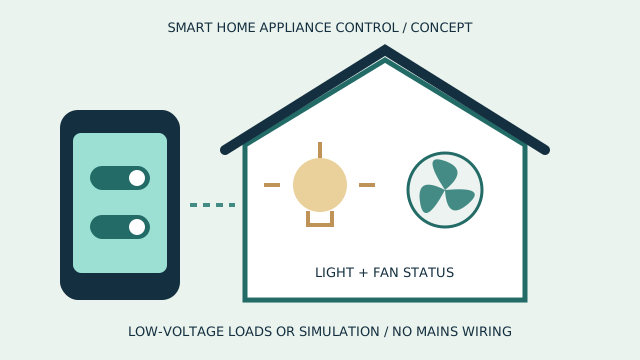
Mini Project: Smart Home Control System

Develop a basic system to control lighting and a servo mechanism using an ESP32.

Learning Outcomes

  • Write and upload microcontroller programs.
  • Control electronic components through code.
  • Understand Arduino and ESP32 development.
  • Build basic automated systems.
TOPIC 04Embedded Systems and Sensors12 HOURS

Sense & Respond

Learning objective: Understand how embedded systems interact with the physical world through sensors, actuators and electronic control systems.

Module 1: Embedded Systems Fundamentals (2 Hours)

  • What is an embedded system?
  • Applications in everyday devices.
  • Embedded system architecture.
  • Hardware and software integration.
  • Microcontroller-based systems.
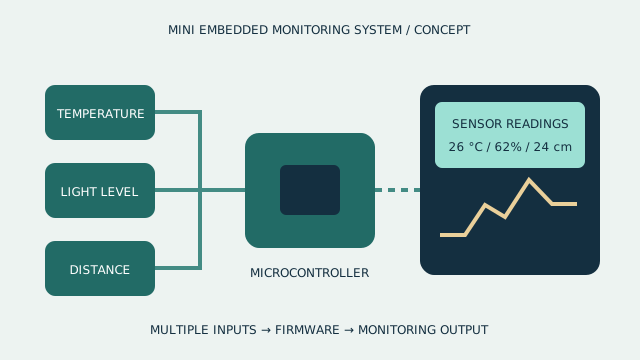
  • Real-time monitoring concepts.

Module 2: Understanding Sensors (3 Hours)

  • What are sensors?
  • Analog and digital sensors.
  • Temperature sensor.
  • Humidity sensor.
  • Ultrasonic distance sensor.
  • PIR motion sensor.
  • Light intensity sensor (LDR).
  • IR sensor.
  • Gas and smoke detection concepts.

Module 3: Actuators and Output Devices (2 Hours)

  • Introduction to actuators.
  • DC motors.
  • Servo motors.
  • Stepper motors.
  • Relays and switches.
  • Buzzers and displays.
  • Sensor-to-actuator interaction.

Module 4: Sensor Integration and Programming (3 Hours)

  • Connecting sensors to Arduino and ESP32.
  • Reading sensor values.
  • Understanding sensor data.
  • Threshold-based control.
  • Conditional automation.
  • Serial monitor and sensor debugging.
  • Calibration and testing.

Module 5: Practical Embedded Projects (2 Hours)

  • Automatic night lamp.
  • Smart temperature monitoring.
  • Motion detection alarm.
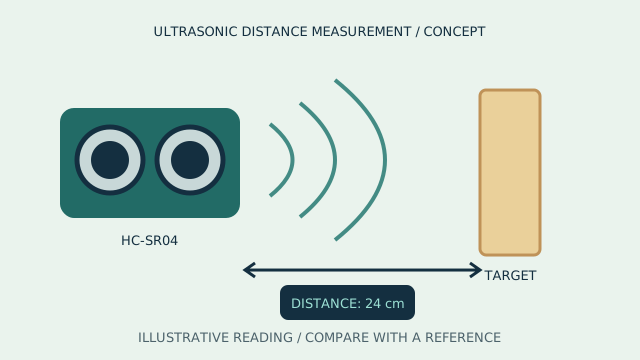
  • Ultrasonic distance measurement.
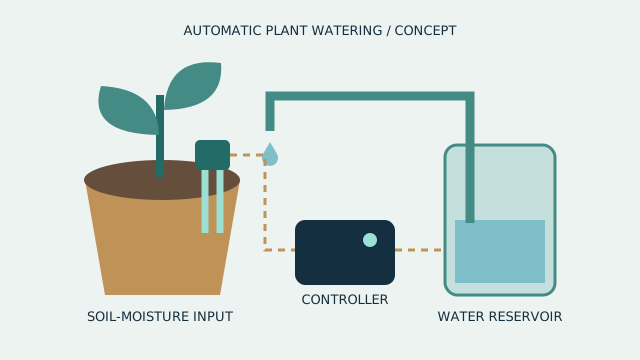
  • Automatic water-level indicator.

Mini Project: Smart Parking Assistant

Use an ultrasonic sensor to detect nearby objects and provide an alert through LEDs and a buzzer.

Learning Outcomes

  • Understand embedded system architecture.
  • Connect and program different sensors.
  • Integrate input and output devices.
  • Develop sensor-based automation systems.
TOPIC 05Python and IoT12 HOURS

Connect & Communicate

Learning objective: Introduce Python programming and Internet of Things concepts, enabling students to collect, transmit and visualize real-time sensor data.

Module 1: Python Programming Fundamentals (3 Hours)

  • Introduction to Python.
  • Installing Python and using an IDE.
  • Variables and data types.
  • Input and output functions.
  • Operators.
  • Conditional statements.
  • Loops.
  • Lists and basic functions.
  • Simple problem-solving programs.

Module 2: Python for Hardware and Data (2 Hours)

  • Introduction to Python-based hardware programming.
  • Reading sensor data.
  • Basic data processing.
  • Working with time and measurements.
  • Introduction to serial communication.
  • Understanding data values and units.

Module 3: Internet of Things Fundamentals (2 Hours)

  • What is IoT?
  • IoT architecture.
  • Sensors, devices and connectivity.
  • Internet-connected hardware.
  • Wi-Fi and Bluetooth communication.
  • Introduction to cloud platforms.
  • Real-world IoT applications.

Module 4: ESP32 Wi-Fi and IoT Communication (3 Hours)

  • Connecting ESP32 to Wi-Fi.
  • Understanding IP addresses.
  • Introduction to HTTP.
  • Sending sensor data over Wi-Fi.
  • Introduction to MQTT concepts.
  • IoT device monitoring.
  • Introduction to web-based dashboards.

Module 5: IoT Practical Project (2 Hours)

  • Collect temperature and humidity data.
  • Send sensor data through Wi-Fi.
  • Create a simple IoT monitoring dashboard.
  • Display real-time readings.
  • Test wireless communication.

Mini Project: IoT Weather Monitoring Station

Build a connected sensor system that sends environmental data to a web dashboard.

Learning Outcomes

  • Understand Python programming fundamentals.
  • Explore IoT architecture.
  • Connect microcontrollers to the internet.
  • Monitor and visualize sensor information.
TOPIC 06Robotics and Automation13 HOURS

Design & Automate

Learning objective: Introduce robotics, mechanical movement, motor control, automation logic and autonomous robot behaviour.

Module 1: Introduction to Robotics (2 Hours)

  • What is robotics?
  • History and evolution of robots.
  • Types of robots.
  • Components of a robotic system.
  • Robot anatomy.
  • Sensors, controllers and actuators.
  • Applications of robotics.

Module 2: Mechanical Design for Robots (2 Hours)

  • Robot chassis and frame.
  • Wheels and gear mechanisms.
  • Motor mounting.
  • Mechanical movement.
  • Robot balancing and stability.
  • Introduction to robotic arms.

Module 3: Motor Control and Robotics Programming (3 Hours)

  • DC motor operation.
  • Motor driver modules.
  • Servo motor programming.
  • Direction and speed control.
  • PWM-based motor control.
  • Robot movement logic.
  • Programming forward, backward, left and right movement.

Module 4: Sensor-Based Robot Automation (3 Hours)

  • IR sensor integration.
  • Ultrasonic sensor integration.
  • Obstacle detection.
  • Line-following principles.
  • Distance-based movement control.
  • Decision-making logic.
  • Introduction to autonomous robots.

Module 5: Robotics Practical Projects (3 Hours)

  • Build a basic robot car.
  • Program directional movement.
  • Create an obstacle-avoiding robot.
  • Experiment with line-following robots.
  • Test motor speed and accuracy.
  • Robot challenge and performance evaluation.

Mini Project: Autonomous Obstacle-Avoiding Robot

Design and program a robot that detects obstacles and automatically changes direction.

Learning Outcomes

  • Understand robotic architecture.
  • Build basic robotic mechanisms.
  • Control motors and sensors.
  • Develop automated robotic behaviour.
  • Apply programming to real-world engineering challenges.
TOPIC 073D Modelling and Prototyping8 HOURS

Imagine & Design

Learning objective: Develop spatial visualization, computer-aided design skills and product development knowledge through 3D modelling and prototyping.

Module 1: Introduction to 3D Design (2 Hours)

  • What is 3D modelling?
  • 2D versus 3D design.
  • Introduction to CAD.
  • Understanding 3D coordinates.
  • X, Y and Z axes.
  • Basic geometric shapes.
  • Introduction to Tinkercad or equivalent CAD software.

Module 2: 3D Modelling Techniques (2 Hours)

  • Creating 3D objects.
  • Basic geometric modelling.
  • Combining and subtracting shapes.
  • Scaling and rotating objects.
  • Aligning and grouping components.
  • Dimensions and measurements.
  • Designing simple mechanical parts.

Module 3: Engineering Product Design (2 Hours)

  • Introduction to product design.
  • Designing a robot chassis.
  • Creating component enclosures.
  • Designing brackets and supports.
  • Functional design principles.
  • Understanding design limitations.
  • Introduction to 3D printing.

Module 4: Prototyping and Product Development (2 Hours)

  • Exporting STL files.
  • Introduction to slicing software.
  • 3D printer components.
  • Understanding layer-by-layer printing.
  • Prototype testing.
  • Design improvement and modifications.

Mini Project: Design a Custom Robot Chassis

Create a 3D model for a robotic vehicle that can accommodate motors, batteries and an electronic controller.

Learning Outcomes

  • Understand 3D modelling fundamentals.
  • Create basic CAD designs.
  • Develop engineering product designs.
  • Understand 3D printing and prototyping.
  • Convert digital designs into physical prototypes.
TOPIC 08Capstone Project and Presentation10 HOURS

Innovate & Present

Learning objective: Integrate the knowledge acquired throughout the program into a functional engineering project and demonstrate technical understanding, creativity and presentation skills.

Module 1: Project Selection and Planning (2 Hours)

  • Identifying real-world problems.
  • Brainstorming engineering ideas.
  • Project selection and feasibility.
  • Preparing project objectives.
  • Component selection.
  • System block diagrams.
  • Project planning and task allocation.

Module 2: Hardware and Software Development (3 Hours)

  • Electronic circuit assembly.
  • Microcontroller programming.
  • Sensor integration.
  • Motor and actuator connections.
  • Python or IoT integration where applicable.
  • System development and debugging.

Module 3: Prototype Development and Testing (2 Hours)

  • Integrating system components.
  • Functional testing.
  • Identifying technical errors.
  • Troubleshooting.
  • Improving performance.
  • Final prototype validation.

Module 4: Documentation and Presentation (2 Hours)

  • Preparing project documentation.
  • Explaining working principles.
  • Developing project diagrams.
  • Creating a project presentation.
  • Demonstrating technical functionality.
  • Explaining engineering challenges and solutions.

Module 5: Project Evaluation (1 Hour)

  • Live project demonstration.
  • Technical knowledge assessment.
  • Innovation and creativity assessment.
  • Project presentation.
  • Mentor feedback.

ENGINEERING PROGRAMME / LAUNCHING SOON / PROJECT WORKFLOW

Make the engineering visible.
Plan. Develop. Test. Present.

Scroll to follow the journey. On a smaller screen, swipe the cards or use your keyboard.

01 / PLAN

Choose a feasible problem.

Define objectives, select components, draw a system block diagram and allocate project tasks.

02 / DEVELOP

Connect hardware and software.

Assemble the protected low-voltage circuit, program the controller and integrate sensors, actuators or IoT where applicable.

03 / TEST

Validate the prototype.

Check functionality, identify errors, troubleshoot and use test evidence to justify improvements.

04 / PRESENT

Explain the working principles.

Prepare documentation, diagrams and a demonstration; discuss challenges, technical decisions and mentor feedback.

ENGINEERING PROGRAMME / LAUNCHING SOON / INTERACTIVE CONCEPT

Inspect the layers.
Trace the dependencies.

Explore a conceptual robot assembly to discuss how mechanics, power, sensing and code would interact in an integrated project. This is illustrative, not promised programme equipment.

This illustrative 3D model is not a hardware specification, a functional simulation, a fabrication file or equipment promised with enrolment.

  • Explore engineering and electronics Investigate forces, structures, materials and measurements, then build protected low-voltage circuits and test digital logic.
  • Program connected systems Use Arduino, ESP32, sensors and Python to explore control logic, wireless communication and IoT data visualization.
  • Design, automate and present Combine robotic mechanisms, CAD models and prototype testing with a documented capstone and technical presentation.
Understand. Apply. Verify.

Explore a conceptual robot assembly to discuss how mechanics, power, sensing and code would interact in an integrated project. This is illustrative, not promised programme equipment. Interactive rotation and layer separation require JavaScript and WebGL.

Drag to rotate. On desktop, scroll to separate the layers, or use the controls.

05 / TOOLS & RESPONSIBLE PRACTICE

Know the setup.
Respect its limits.

Suggested learning environment

Suggested setup: rulers and vernier calipers, construction materials, protected low-voltage circuits, a multimeter, Arduino and ESP32 boards, Arduino IDE, sensors and motor drivers, Python tools, a test IoT dashboard, supervised robot hardware and Tinkercad or equivalent CAD software. Fabrication and 3D printing depend on supervised facilities.

Confirm hardware, software versions, licences, consumables, fabrication and lab access before enrolment. No personal kit or software licence is promised.

Course-specific boundaries

Young Engineers is proposed, not a confirmed active offering. Availability, project scope, equipment and supervision must be agreed before any practical work; mains work is excluded from these example briefs.

06 / BEFORE YOU JOIN

Course FAQs

What does Young Engineers cover?

Launching soon: a 90-hour programme for Grades 10–12 connecting engineering fundamentals, electronics, Arduino and ESP32, sensors, Python and IoT, robotics, 3D modelling and an engineering capstone. Join the waitlist for launch updates.

What should I know before joining?

Grades 10–12. Basic computer use and an interest in science and engineering are helpful; prior microcontroller experience is not assumed. A mentor confirms readiness and preparation.

What practical work could I discuss?

Investigate engineering structures, build digital circuits, program Arduino and ESP32, integrate sensors, use Python and IoT data, develop robotic mechanisms and CAD models, and document and present a tested engineering capstone. The application studio shows selected briefs or stages.

How long does this course take?

The suggested curriculum is 90 hours. Confirm session frequency, batch dates and any independent practice time before booking.

Are tools included, and is the course online or offline?

Suggested setup: rulers and vernier calipers, construction materials, protected low-voltage circuits, a multimeter, Arduino and ESP32 boards, Arduino IDE, sensors and motor drivers, Python tools, a test IoT dashboard, supervised robot hardware and Tinkercad or equivalent CAD software. Fabrication and 3D printing depend on supervised facilities. Equipment, licences, fees, delivery mode and lab access must be confirmed for each batch.

Can I enrol now?

Young Engineers is proposed, not a confirmed active offering. Register interest to discuss readiness and possible future availability.

LAUNCHING SOON / JOIN THE WAITLIST

Young Engineers.
Be part of the next chapter.

Open a WhatsApp waitlist request, review it and send it to TECHNOVA. Your request reaches us only after you send; launch dates and places will be confirmed personally.

Join the waitlist on WhatsApp

THE COURSE JOURNAL

A useful idea.
A deeper perspective.

Young Engineers: Build an Evidence-Led Portfolio

Explore how Grades 10-12 learners can develop an engineering portfolio through requirements, system integration, test evidence and clear technical explanations.

Read the course article