Detailed curriculum topics
Explore the supplied process visualization learning sequence.


PROCESS VISUALIZATION / ENGINEERING LEARNING
Give operators a clear view of process state and uncertainty.
Suggested duration: 60 hours.
Develop SCADA and HMI applications from architecture and PLC integration through operator screens, process graphics, alarms and historical trends. Connect industrial protocols, build monitoring dashboards, apply access controls and troubleshoot simulations, then demonstrate an integrated capstone with final presentation and viva.
Starting level, batch dates, software and equipment are confirmed through counselling. See fees and batch timings below. An enquiry is not a confirmed booking.

PLAN AHEAD
Course fee / 60 hours₹13,999 + 18% tax
Total including tax₹16,518.82
Regular, weekend and Sunday batches available. Monday–Saturday: preferred slots 9am–6pm; Sunday: 10am–1pm (IST). Slots, dates and places require availability confirmation.
Fees exclude 18% tax; totals include tax. Confirm material, licence and take-home kit charges before enrolment. Enquiry is not a reservation.
SCADA & HMI SYSTEMS / AT A GLANCE
Explore the supplied process visualization learning sequence.
Session frequency and calendar duration are confirmed by enquiry.
Four options and final testing, presentation and viva fit Topic 12's six-hour planning breakdown.
01 / COURSE PERSPECTIVE
Suggested preparation: PLC inputs/outputs, basic control sequences and computer networking concepts.
Discuss preparation and readiness with a mentor before choosing a batch. These are recommended starting points, not a guarantee of placement.
Explain SCADA architecture, integrate PLC tags with HMI screens, develop process graphics, configure alarms and historical trends, connect industrial protocols, build monitoring reports, apply user roles and backup concepts, troubleshoot simulations and present an integrated SCADA/HMI capstone.
Project scope depends on supervision, equipment and practice. Examples describe learning activities, not verified student work or guaranteed outcomes.
02 / WHAT YOU WILL WORK ON
Connect PLC or simulated process values with meaningful names, units and communication status.
Make values, states and permitted actions understandable rather than decorative.
Test alarm behavior and trends, including missing or stale data and basic access restrictions.
03 / CURRICULUM & PRACTICE
Twelve topics total 60 hours. Practical exercises are integrated into topic allocations. Topic 12 includes the supplied six-hour capstone and assessment breakdown; a mentor confirms how the listed options fit an integrated application. Software, drivers, protocol support, historian access and simulation licences depend on the selected training platform.
04 / CAPSTONE PROJECT & ASSESSMENT
Four supplied capstone options have planning allocations of 2, 1, 1 and 1 hours, with one hour for final testing, presentation and viva within Topic 12. Confirm the integrated scope with a mentor; these are not additional course hours or four promised independent builds. Use simulated process data or approved isolated trainers. Illustrations are conceptual, not operational control screens or verified student projects.

CAPSTONE OPTION 1 / 2 PRACTICAL HOURS
Map simulated tank levels and control states to a process screen.
Evidence to discuss: Test boundaries, tag quality, alarms and clear status when communication is lost.
CAPSTONE OPTION 2 / 1 PRACTICAL HOUR
Visualize a simulated conveyor sequence with operator controls and state indicators.
Evidence to discuss: Explain tag mapping, permitted commands and interrupted-input behavior.

CAPSTONE OPTION 3 / 1 PRACTICAL HOUR
Present simulated motor and pump states, runtime and sample measurements.
Evidence to discuss: Show units, communication status and access restrictions without operating live machinery.
CAPSTONE OPTION 4 / 1 PRACTICAL HOUR
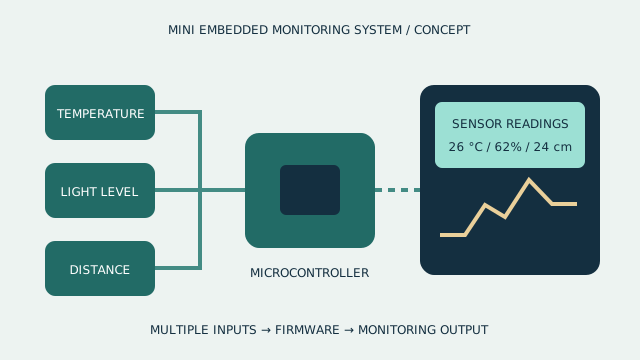
Combine sample alarms, acknowledgement, trends and historical records.
Evidence to discuss: Demonstrate alarm transitions, logging intervals and missing or stale data.
PROCESS VISUALIZATION / PROJECT WORKFLOW
Scroll to follow the journey. On a smaller screen, swipe the cards or use your keyboard.
Identify the process state and decisions the screen must support.
Check names, units, updates and communication quality.
Exercise alarm states and compare historical values with test inputs.
Explain access choices and behavior when process data is unavailable.
PROCESS VISUALIZATION / INTERACTIVE CONCEPT
Review a conceptual process interface as input tags, visualization and operator output layers. The assembly supports discussion of data dependencies, not a vendor-specific SCADA deployment.
This illustrative 3D model is not a hardware specification, a functional simulation, a fabrication file or equipment promised with enrolment.
Review a conceptual process interface as input tags, visualization and operator output layers. The assembly supports discussion of data dependencies, not a vendor-specific SCADA deployment. Interactive rotation and layer separation require JavaScript and WebGL.
Drag to rotate. On desktop, scroll to separate the layers, or use the controls.
05 / TOOLS & RESPONSIBLE PRACTICE
Suggested setup: supported SCADA/HMI development and runtime software, a PLC simulator or approved isolated PLC trainer, compatible communication drivers and an OPC UA test client, plus historian/database and reporting tools. Factory I/O is introduced for simulation; selected software, licences, protocol compatibility, equipment and lab access must be confirmed.
Confirm hardware, software versions, licences, consumables, fabrication and lab access before enrolment. No personal kit or software licence is promised.
Use simulated data or approved isolated training PLC/HMI equipment with qualified supervision. No live process connections, mains measurements or production-network changes are authorized. Motor, pump, conveyor and energy examples are simulated or bounded training models. Interface controls, alarms and role restrictions are not certified protective functions. Security and recovery exercises use only authorized lab systems and non-sensitive data; validate commands and make stale or unavailable tags visible. Confirm protocol drivers, platform support and licences before enrolment.
06 / BEFORE YOU JOIN
Develop SCADA and HMI applications from architecture and PLC integration through operator screens, process graphics, alarms and historical trends. Connect industrial protocols, build monitoring dashboards, apply access controls and troubleshoot simulations, then demonstrate an integrated capstone with final presentation and viva.
Suggested preparation: PLC inputs/outputs, basic control sequences and computer networking concepts.
Explain SCADA architecture, integrate PLC tags with HMI screens, develop process graphics, configure alarms and historical trends, connect industrial protocols, build monitoring reports, apply user roles and backup concepts, troubleshoot simulations and present an integrated SCADA/HMI capstone. The application studio shows selected briefs or stages.
The suggested curriculum is 60 hours. Confirm session frequency, batch dates and any independent practice time before booking.
Suggested setup: supported SCADA/HMI development and runtime software, a PLC simulator or approved isolated PLC trainer, compatible communication drivers and an OPC UA test client, plus historian/database and reporting tools. Factory I/O is introduced for simulation; selected software, licences, protocol compatibility, equipment and lab access must be confirmed. Equipment, licences, fees, delivery mode and lab access must be confirmed for each batch.
Request counselling to confirm prerequisites, course availability and scheduling. An enquiry is not a confirmed booking.
START WITH A COURSE CONVERSATION
Share your current experience and project goals. Confirm readiness, availability, fees, tools and class arrangements with TECHNOVA.
THE COURSE JOURNAL
Learn why an HMI needs meaningful tags, visible data quality, purposeful alarms and readable trends rather than decorative process graphics alone.
Read the course article