Detailed curriculum modules
Explore the supplied industrial sequence control learning sequence.


INDUSTRIAL SEQUENCE CONTROL / ENGINEERING LEARNING
Make every machine state and interlock explainable.
Suggested duration: 90 hours.
Develop industrial automation logic from electrical control fundamentals and PLC architecture through Ladder Logic, FBD and Structured Text. Integrate sensors, HMI/SCADA and industrial communication, explore VFD and motion control, and test seven automation projects alongside troubleshooting and final practical assessment.
Starting level, batch dates, software and equipment are confirmed through counselling. See fees and batch timings below. An enquiry is not a confirmed booking.

PLAN AHEAD
Course fee / 90 hours₹18,999 + 18% tax
Total including tax₹22,418.82
Regular, weekend and Sunday batches available. Monday–Saturday: preferred slots 9am–6pm; Sunday: 10am–1pm (IST). Slots, dates and places require availability confirmation.
Fees exclude 18% tax; totals include tax. Confirm material, licence and take-home kit charges before enrolment. Enquiry is not a reservation.
PLC PROGRAMMING & INDUSTRIAL AUTOMATION / AT A GLANCE
Explore the supplied industrial sequence control learning sequence.
Session frequency and calendar duration are confirmed by enquiry.
Seven applications share the 13 hours allocated to Module 10.
01 / COURSE PERSPECTIVE
Suggested preparation: basic electrical concepts and control-diagram reading. Discuss beginner support with the mentor.
Discuss preparation and readiness with a mentor before choosing a batch. These are recommended starting points, not a guarantee of placement.
Explain PLC architecture and scan cycles, develop Ladder Logic, FBD and Structured Text, scale analog inputs, implement sequences and alarms, integrate sensors and HMI/SCADA, compare industrial protocols and drive-control concepts, and troubleshoot seven automation applications with a final practical assessment.
Project scope depends on supervision, equipment and practice. Examples describe learning activities, not verified student work or guaranteed outcomes.
02 / WHAT YOU WILL WORK ON
Connect PLC architecture with digital and analog signals on a simulator or training rig.
Build sequences using timers, counters, comparators and explicit operating conditions.
Check interlocks and abnormal cases instead of demonstrating only the normal sequence.
03 / CURRICULUM & PRACTICE
Eleven modules total 90 hours. Seven projects share the 13 hours in Module 10; Module 11 includes troubleshooting and final practical assessment. Vendor introductions do not promise training on every PLC brand. Confirm supported languages, instructions, protocols, software licences and supervised equipment for the selected platform.
04 / INDUSTRIAL AUTOMATION PROJECTS
Project allocations of 2, 2, 1, 2, 2, 2 and 2 hours are included within Module 10, not additional course hours. Use simulation, protected low-voltage models or approved supervised trainers. Illustrations are conceptual, not wiring plans, certified safety functions or verified student builds.

PROJECT 1 / 2 PRACTICAL HOURS
Model level-based PLC control using simulated or protected training inputs.
Evidence to discuss: Test low/high boundaries, sensor interruption and contradictory output prevention.
PROJECT 2 / 2 PRACTICAL HOURS
Implement start, stop, detection and sequence states in a simulator or guarded training model.
Evidence to discuss: Record state transitions, permissives and behavior after interrupted input.
PROJECT 3 / 1 PRACTICAL HOUR
Program a timed signal sequence using a low-voltage model or simulation.
Evidence to discuss: Check transition timing and conflicting outputs; this is not a road traffic controller.
PROJECT 4 / 2 PRACTICAL HOURS
Represent detection, timed filling and completion as a bounded PLC training sequence.
Evidence to discuss: Compare expected states with observed timers, counters and interrupted detection.

PROJECT 5 / 2 PRACTICAL HOURS
Explore PLC drive commands and speed/direction states in simulation or approved supervised equipment.
Evidence to discuss: Document parameter assumptions, permissives and fault responses without live-machine operation.
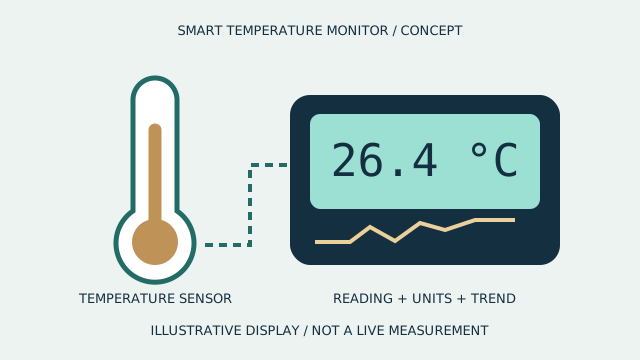
PROJECT 6 / 2 PRACTICAL HOURS
Scale sample temperature inputs and implement bounded control logic with a simulated or low-voltage output.
Evidence to discuss: Explain engineering units, threshold behavior, alarm states and sensor faults.
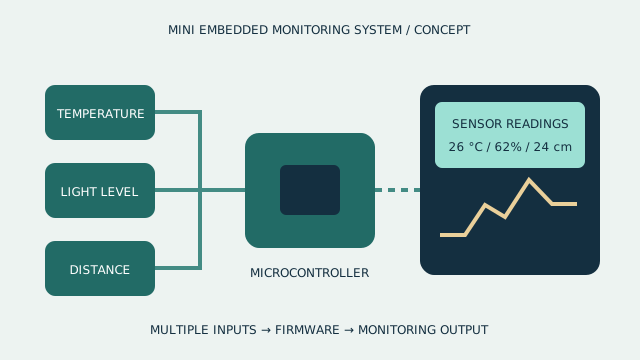
PROJECT 7 / 2 PRACTICAL HOURS
Map training PLC tags to operator indicators, alarms and trends.
Evidence to discuss: Show units, communication status and expected behavior when tags are stale or unavailable.
INDUSTRIAL SEQUENCE CONTROL / PROJECT WORKFLOW
Scroll to follow the journey. On a smaller screen, swipe the cards or use your keyboard.
Write states, signals and permitted transitions before coding.
Use explicit conditions, timers and counters to represent the sequence.
Test stopped, conflicting and interrupted input cases.
Present state traces and a troubleshooting change.
INDUSTRIAL SEQUENCE CONTROL / INTERACTIVE CONCEPT
Separate a conceptual input layer, controller and output interface. Use the model to trace the scan-cycle idea and signal boundaries; it is not a functional PLC or a certified safety controller.
This illustrative 3D model is not a hardware specification, a functional simulation, a fabrication file or equipment promised with enrolment.
Separate a conceptual input layer, controller and output interface. Use the model to trace the scan-cycle idea and signal boundaries; it is not a functional PLC or a certified safety controller. Interactive rotation and layer separation require JavaScript and WebGL.
Drag to rotate. On desktop, scroll to separate the layers, or use the controls.
05 / TOOLS & RESPONSIBLE PRACTICE
Suggested setup: a supported PLC programming environment and simulator, approved isolated PLC/I/O trainer, sensor and actuator models, HMI/SCADA software and compatible industrial communication interfaces. Siemens, Allen-Bradley, Mitsubishi and Delta platforms are introduced; selected hardware, Ladder/FBD/ST support, licences, VFD/motion demonstrations and lab access must be confirmed.
Confirm hardware, software versions, licences, consumables, fabrication and lab access before enrolment. No personal kit or software licence is promised.
Use simulation, protected low-voltage models or approved isolated trainers with qualified supervision. Mains, three-phase panels, VFD wiring, earthing, pneumatic/hydraulic energy and commissioning are studied conceptually or through authorized demonstrations, not unsupervised live work. Verify I/O voltage, PNP/NPN compatibility, signal conditioning and platform-specific instructions. Guard moving equipment and restrict training-network access. Classroom interlocks, alarms and traffic-light models are not certified protective systems; no production wiring, operation or maintenance decisions are authorized.
06 / BEFORE YOU JOIN
Develop industrial automation logic from electrical control fundamentals and PLC architecture through Ladder Logic, FBD and Structured Text. Integrate sensors, HMI/SCADA and industrial communication, explore VFD and motion control, and test seven automation projects alongside troubleshooting and final practical assessment.
Suggested preparation: basic electrical concepts and control-diagram reading. Discuss beginner support with the mentor.
Explain PLC architecture and scan cycles, develop Ladder Logic, FBD and Structured Text, scale analog inputs, implement sequences and alarms, integrate sensors and HMI/SCADA, compare industrial protocols and drive-control concepts, and troubleshoot seven automation applications with a final practical assessment. The application studio shows selected briefs or stages.
The suggested curriculum is 90 hours. Confirm session frequency, batch dates and any independent practice time before booking.
Suggested setup: a supported PLC programming environment and simulator, approved isolated PLC/I/O trainer, sensor and actuator models, HMI/SCADA software and compatible industrial communication interfaces. Siemens, Allen-Bradley, Mitsubishi and Delta platforms are introduced; selected hardware, Ladder/FBD/ST support, licences, VFD/motion demonstrations and lab access must be confirmed. Equipment, licences, fees, delivery mode and lab access must be confirmed for each batch.
Request counselling to confirm prerequisites, course availability and scheduling. An enquiry is not a confirmed booking.
START WITH A COURSE CONVERSATION
Share your current experience and project goals. Confirm readiness, availability, fees, tools and class arrangements with TECHNOVA.
THE COURSE JOURNAL
Explore how explicit states, transition conditions and fault tests make an educational PLC sequence easier to understand than a collection of unrelated outputs.
Read the course article